AI Sales Follow-Up Email Workflow With Human Review
AI can make sales follow-up faster, but the first version of the workflow should not send messages blindly. A safer system captures the lead, summarizes the context, drafts a reply, asks a human to approve it, and stops the sequence when the lead replies or closes.
Quick Answer
An AI sales follow-up email workflow should use AI for summary, draft, and reminder work. A human should approve any external sales message before it is sent, especially for high-value leads, custom services, consulting, coaching, agencies, and local businesses.
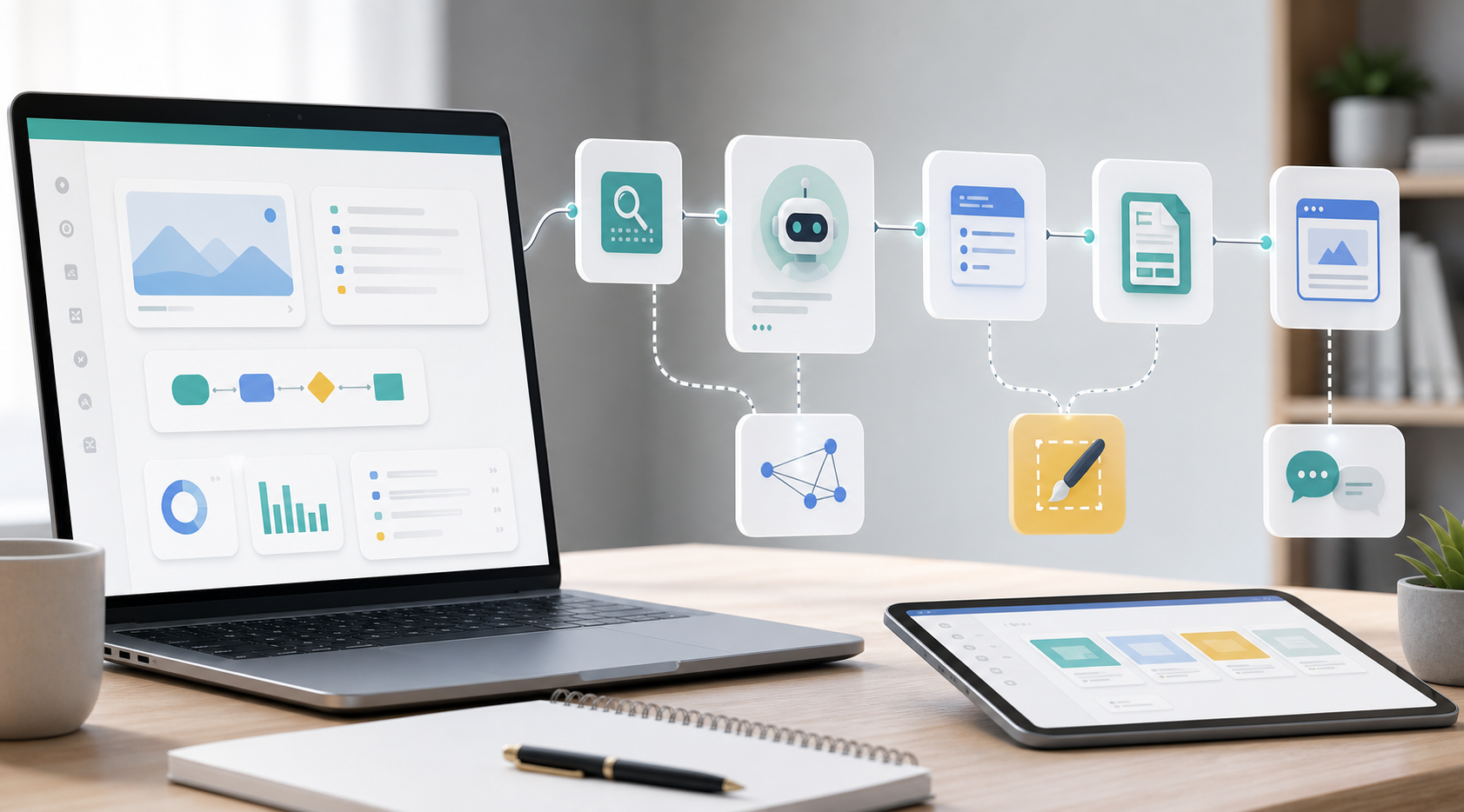
The minimum useful workflow is: lead captured -> lead record updated -> AI summary created -> reply draft prepared -> human review task created -> email approved or edited -> follow-up date set -> sequence stops when the lead replies, books, opts out, bounces, or is marked not a fit.
Who This Is For
This guide is for solo operators, service businesses, agencies, consultants, coaches, and small teams that receive leads from forms, booking pages, email, chat, or referrals and want a more reliable follow-up process.
It is not a guide for spam campaigns or fully automated cold outreach. The goal is to protect real inquiries, keep replies timely, and avoid awkward AI messages.
The Workflow Map
If your lead capture step is still messy, start with How to Stop Losing Leads After Form Submissions. If your tracker is unclear, use Lead Tracking Sheet vs Airtable vs CRM before adding AI.
The Lead Context Fields AI Needs
Most bad AI follow-up emails come from weak input. The model cannot write a useful reply if it only receives an email address and a vague note.
Practical rule: AI should not invent missing details. If budget, timeline, or decision maker is unknown, the draft should ask a simple question instead of pretending the information exists.
Copyable Prompt Pack
These prompts are designed for a draft-first workflow. They can be used in Zapier, Make, n8n, a CRM automation, or a manual ChatGPT step.
1. Lead Summary Prompt
Summarize this lead for a sales follow-up workflow.

Return:
- who the lead is
- what they asked for
- urgency: high, medium, low, or unclear
- fit level: high, medium, low, or review needed
- missing information
- suggested next step

Rules:
- use only the provided data
- do not invent budget, timeline, or intent
- keep the summary under 120 words

Lead data:
[insert lead fields]
2. First Reply Draft Prompt
Draft a first reply to this lead.

Rules:
- keep it under 160 words
- sound warm, direct, and professional
- mention one specific detail from the inquiry
- ask no more than two useful questions
- suggest one clear next step
- do not promise pricing, availability, timeline, or results
- do not use hype

Lead summary:
[insert summary]
3. Human Review Prompt
Review this AI-drafted sales follow-up before a human sends it.

Check:
- any invented facts
- unclear or risky promises
- robotic wording
- too many questions
- missing next step
- whether the message should be shorter
- whether follow-up should stop

Return:
- risk level: low, medium, high
- edits needed
- final suggested version

Original lead data:
[insert fields]

Draft:
[insert draft]
4. No-Reply Follow-Up Prompt
Draft a polite no-reply follow-up.

Rules:
- keep it shorter than the previous email
- do not guilt or pressure the lead
- include one clear next action
- do not repeat the whole first email
- do not send if status is replied, booked, opted out, customer, bounced, or not a fit

Previous message:
[insert previous message]

Lead status:
[insert status]
Human Review Checklist
The review step is where this workflow becomes safe enough for real business use. The reviewer should check the message before sending, not after the automation has already acted.
| Review Area | Question To Ask | Why It Matters |
|---|---|---|
| Facts | Does the email mention only information the lead actually provided? | Prevents invented context and embarrassing mistakes. |
| Tone | Does it sound like a real business message, not a generic AI reply? | Protects trust and brand perception. |
| Next step | Is there one clear action, such as reply with details or book a call? | Reduces back-and-forth and confusion. |
| Promises | Does it avoid unapproved pricing, timelines, discounts, or results? | Keeps the message commercially safe. |
| Stop condition | Should the sequence continue, pause, or stop? | Prevents follow-ups after a reply, booking, opt-out, or close. |
| Tracker update | Will status, owner, and next follow-up date be updated? | Makes the workflow visible instead of becoming another hidden inbox task. |
Stop-Rule Decision Table
Stop rules are not an advanced extra. They are the safety system. If your tool stack cannot detect replies reliably, use reminders and human checks instead of automatic no-reply sends.
| Condition | Workflow Action | Human Action |
|---|---|---|
| Lead replies | Mark status as Replied and stop scheduled follow-ups. | Read the reply and decide the next step. |
| Lead books a call | Mark status as Booked and stop sales follow-up sequence. | Prepare for the call and update notes. |
| Lead opts out | Mark Do Not Contact and stop all outreach. | Respect the request. Do not re-add the lead to another sequence. |
| Email bounces | Mark Bounced and stop future email sends. | Check whether the address was mistyped or the lead should be archived. |
| Owner marks Not A Fit | Stop all future follow-ups for that lead. | Optionally send a polite decline or referral message. |
| No reply and due date reached | Create a follow-up draft or reminder. | Review before sending, especially for high-value leads. |
A Simple Follow-Up Sequence
Start with a short sequence. Most small businesses do not need ten automated touches. Two no-reply follow-ups plus a close-the-loop note is often enough to make the process consistent without sounding desperate.
| Message | Timing | Purpose | Automation Level |
|---|---|---|---|
| First reply | As soon as practical | Respond to the actual inquiry, ask missing questions, suggest next step. | AI draft plus human approval. |
| Follow-up 1 | 2-3 business days later | Bring the thread back with one clear next action. | Draft or reminder, then human review. |
| Follow-up 2 | 5-7 business days after that | Offer a final useful next step or ask whether timing changed. | Human review recommended. |
| Close loop | Optional | Politely pause the thread without pressure. | Manual or reviewed draft. |
Tool Stack Options
Choose the simplest stack that gives you a reliable record, a review step, and stop rules. The tool is less important than the workflow behavior.
If you are choosing between automation tools for this exact use case, read Zapier vs Make For Sales Follow-Up Automation. If your workflow starts with lead capture rather than follow-up emails, read n8n vs Make For Lead Generation Workflows.
30-Minute Setup Path
Create the lead fields: name, email, source, request, status, owner, next follow-up date, thread ID or conversation link, and stop reason.
Set the AI summary and first-reply draft prompts. Keep output short and require the model to avoid invented details.
Create the review task and stop rules. If reply detection is not ready, send reminders instead of automatic follow-ups.
How This Becomes A Template Product
This workflow is a strong template candidate because the reusable pieces are clear: lead fields, AI summary prompt, first-reply prompt, follow-up templates, review checklist, stop-rule table, and implementation map.
That is why the workflow belongs inside a broader lead-follow-up system, not as a standalone prompt trick. A prompt saves minutes. A workflow protects the lead from falling through the cracks.
Use The Lead Follow-Up Workflow Pack
The free Lead Follow-Up Workflow Pack includes starter tracker files, status rules, follow-up templates, AI prompt blocks, and workflow maps you can adapt before building this in Zapier, Make, n8n, Airtable, Sheets, or a CRM.
When To Ask For Setup Help
You can build the first draft manually. Ask for help when the workflow needs reply detection, CRM updates, branching rules, team approvals, error logs, or multiple lead sources.
If you want this workflow set up around your current forms, tracker, and email process, use the Contact page and describe your lead source, current tracker, and where follow-up breaks.
Read Next
- How to Stop Losing Leads After Form Submissions
- Lead Tracking Sheet vs Airtable vs CRM
- Zapier vs Make For Sales Follow-Up Automation
- Lead Follow-Up Workflow Pack
Sources And Planning Notes
This article was upgraded from current user-side demand around ChatGPT follow-up emails, reply handling, CRM status tracking, and human approval workflows. Useful references included a Zapier Community question about ChatGPT and CRM follow-ups, n8n Community discussions about email status tracking and stopping follow-ups after a reply, and an n8n workflow template for GPT lead response with human approval.
There are no active affiliate links in this article at the time of writing. If tool links become affiliate links later, they should be disclosed clearly and kept relevant to the workflow.